

How to Write an Essay Outline
Crafting a well-structured essay is fundamental to academic success, and the first step is often the most critical: developing a comprehensive outline. By leveraging this powerful tool, you can significantly streamline your academic writing process, ensuring your essays are meticulously organized and coherent from the outset.
Crafting a well-structured essay is fundamental to academic success, and the first step is often the most critical: developing a comprehensive outline. By leveraging this powerful tool, you can significantly streamline your academic writing process, ensuring your essays are meticulously organized and coherent from the outset.
What You'll Need
Before diving into the essay outline generation process, ensure you have the following prerequisites in place to guarantee a smooth and productive experience: First, an active Paperite account with a current subscription is essential. Access to Paperite's AI-driven features, including the essay outlining tool, is contingent upon a valid subscription. Ensure your login credentials are up-to-date and your account is in good standing before proceeding. Second, a stable internet connection is required. Paperite is a web-based platform, and all its AI processing occurs online. A reliable connection will prevent interruptions during outline generation and ensure you can access all features without delay. Third, have your essay topic or prompt clearly defined and ready. The quality and relevance of your AI-generated outline will heavily depend on the clarity and specificity of the topic you provide. A well-articulated prompt will guide the AI more effectively toward producing a useful and targeted outline. Finally, while optional, having any relevant source materials you wish to include at hand can be highly beneficial. Paperite allows for the integration of your own research content, enabling the AI to incorporate specific information and arguments directly into your outline. This can be particularly useful for assignments requiring specific texts or research findings.
Step-by-Step Guide
Follow these detailed steps to efficiently generate an essay outline using Paperite's AI capabilities:
Step 1: Open Paperite and Log In
Begin by navigating to Paperite in your web browser. Once on the homepage, locate the login prompt and enter your registered email address and password. Upon successful authentication, you will be directed to the Paperite dashboard, which serves as your central hub for project management and document creation. This screen confirms your access to the platform's features.
Step 2: Access the AI Writer
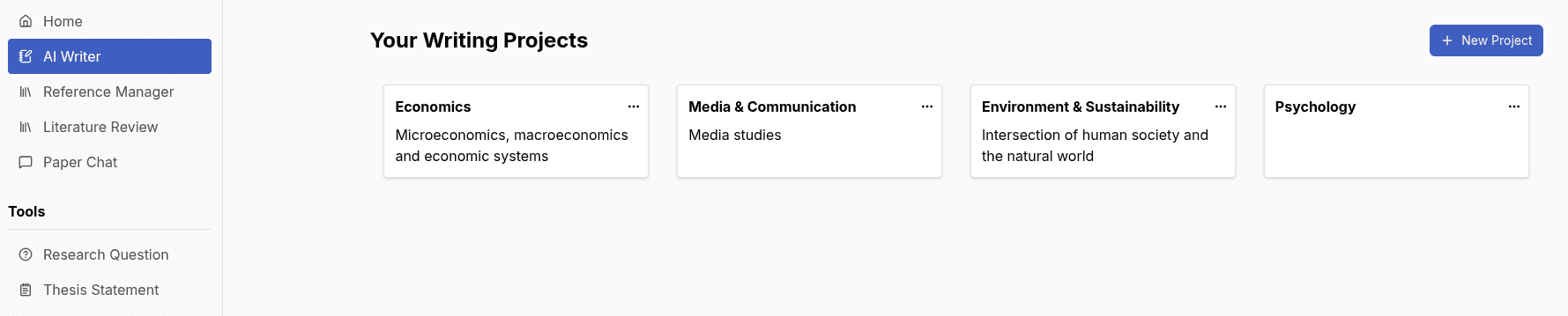
On the left-hand side of your dashboard, you will find a vertical sidebar containing various icons. Locate and click on the "AI writer" icon. This action will transition you to the dedicated AI Writer interface, where you can manage existing projects or initiate new content generation tasks. This area is specifically designed for leveraging Paperite's generative AI tools.
Step 3: Start a New Project or Select Existing
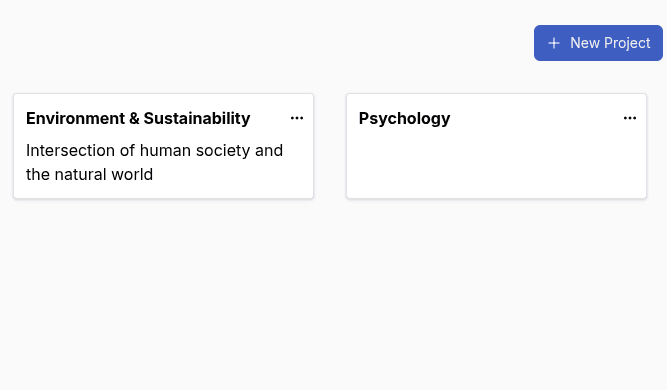
Within the AI Writer interface, you have two primary options: to create a new project or continue work within an existing one. If starting fresh, click the "New Project" button. A dialog box will appear, prompting you for project details. If you're adding an outline to an ongoing assignment, select an existing project from the list. Choosing an existing project will display its specific dashboard, allowing you to add new documents within that context.
Step 4: Name Your Project
If you opted for a new project, a prompt will ask you to enter a project name. Choose a descriptive name that accurately reflects your essay's subject matter (e.g., "Climate Change Essay," "Literary Analysis of Gatsby"). After entering the name, click "Submit" or confirm the creation. The new project will then be listed on your dashboard, or the project's title will be updated, making it easy to identify and manage.
Step 5: Create a New Document
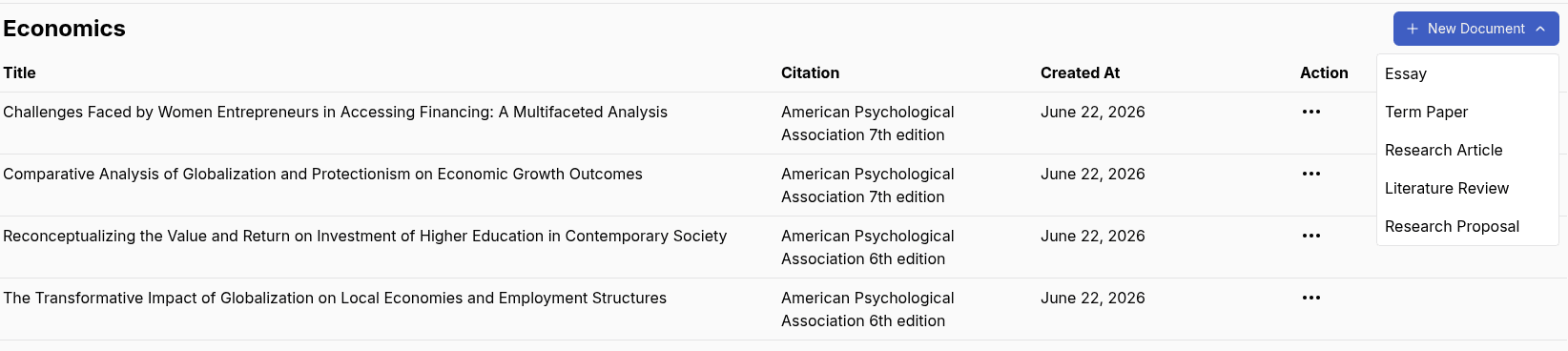
Once inside your chosen project, whether newly created or previously existing, locate and click the "New Document" button. This action typically presents a list of available document types or templates that Paperite offers. This menu allows you to specify the kind of content you intend to generate within this project.
Step 6: Select 'Essay' Document Type
From the displayed list of document types, click on "Essay." This selection is crucial as it activates Paperite's specialized essay generation form. This form is tailored to gather the necessary information for producing an academic essay outline, guiding you through specific inputs relevant to essay writing.
Step 7: Input Your Essay Topic
The "Essay Generation Form" will now be visible. Locate the designated input field for your essay topic or prompt. Carefully type or paste your essay topic into this field. Clarity and specificity here are paramount; a well-defined topic will yield a more precise and useful outline. The field will populate with your input, allowing for a quick review.
Step 8: Choose Essay Type
Paperite offers various essay types to align with common academic assignments. From the dropdown menu labeled "Essay Type," select the option that best describes your assignment (e.g., "Analytical," "Argumentative," "Compare and Contrast," "Reflective"). This selection informs the AI about the structural conventions and rhetorical approaches required for your outline. Your choice will be reflected in the dropdown.
Step 9: Select Essay Sources
This step allows you to integrate research directly into your outline. Choose one of the available options for "Essay Sources": "My Library" (for documents you've uploaded to Paperite), "Online Search" (to allow the AI to search the web for relevant information), or "Select Files" (to upload specific documents from your device). The chosen option will be highlighted or activated, prompting you to either select files, initiate a search, or choose from your existing library.
Step 10: Configure Word Count and Output Format
Next, specify your desired "Word Count" for the eventual essay. This helps the AI gauge the appropriate level of detail for the outline. Then, select an "Output Format" for your generated outline and essay from the dropdown menu (e.g., "Rich Text," "Markdown," "Latex"). These choices ensure the output is delivered in a format compatible with your workflow. Both fields will display your selected parameters.
Step 11: Choose Citation Style
To ensure academic integrity and consistency, select your preferred "Citation Style" from the format dropdown options. Paperite supports widely used styles such as APA, MLA, and Chicago. Making this selection ensures that any source references integrated into your outline, or eventually the full essay, adhere to the correct formatting standards. The dropdown will display your chosen style.
Step 12: Generate Your Outline
With all the necessary parameters configured, locate and click the "Generate" button positioned within the Essay Generation Form. A loading indicator will momentarily appear, signaling that Paperite's AI is processing your request. Shortly after, your meticulously crafted, AI-generated essay outline will be displayed on your screen, ready for review and further development.
Pro Tips
Maximizing the utility of Paperite's essay outlining tool involves more than just following the steps; strategic input can significantly enhance the quality of your output.
Refine Your Topic for Better AI Output:
The AI's ability to generate an accurate and relevant outline is directly proportional to the clarity and specificity of your input. Instead of a broad topic like "World War II," consider providing a more focused prompt such as "Analyze the socio-economic impacts of World War II on post-war European reconstruction efforts." This precision guides the AI to generate a more targeted and useful structural framework. Always aim for clear, concise, and specific prompts to yield superior results.
Experiment with Essay Types: Do not hesitate to explore different essay types beyond your initial assumption. While an assignment might seem straightforwardly "argumentative," trying "analytical" might reveal a different, equally valid, or even more compelling structural approach. Experimenting can expose you to varied organizational strategies, helping you discover the best possible fit for your essay's purpose and your instructor's expectations.
Leverage Source Integration: Paperite's source integration feature is a powerful asset. Instead of relying solely on the AI's general knowledge, utilize the "Select Files" or "Online Search" options to provide specific research materials relevant to your topic. By doing so, you ensure the AI incorporates key arguments, data, and scholarly insights from your chosen texts directly into the outline, making it far more substantive and aligned with your research.
Review and Edit AI Suggestions: While Paperite's AI is highly capable, its output should always be considered a starting point. Critically review the generated outline for accuracy, relevance, and alignment with your specific arguments and institutional guidelines. The AI might provide excellent suggestions, but your unique voice, thesis, and specific assignment requirements should always be the final arbiters. Treat the outline as a robust draft that requires your expert refinement.